
5分钟搭建一个高精度中英文OCR识别服务
来源:互联网
时间:2026-06-22 17:43:41
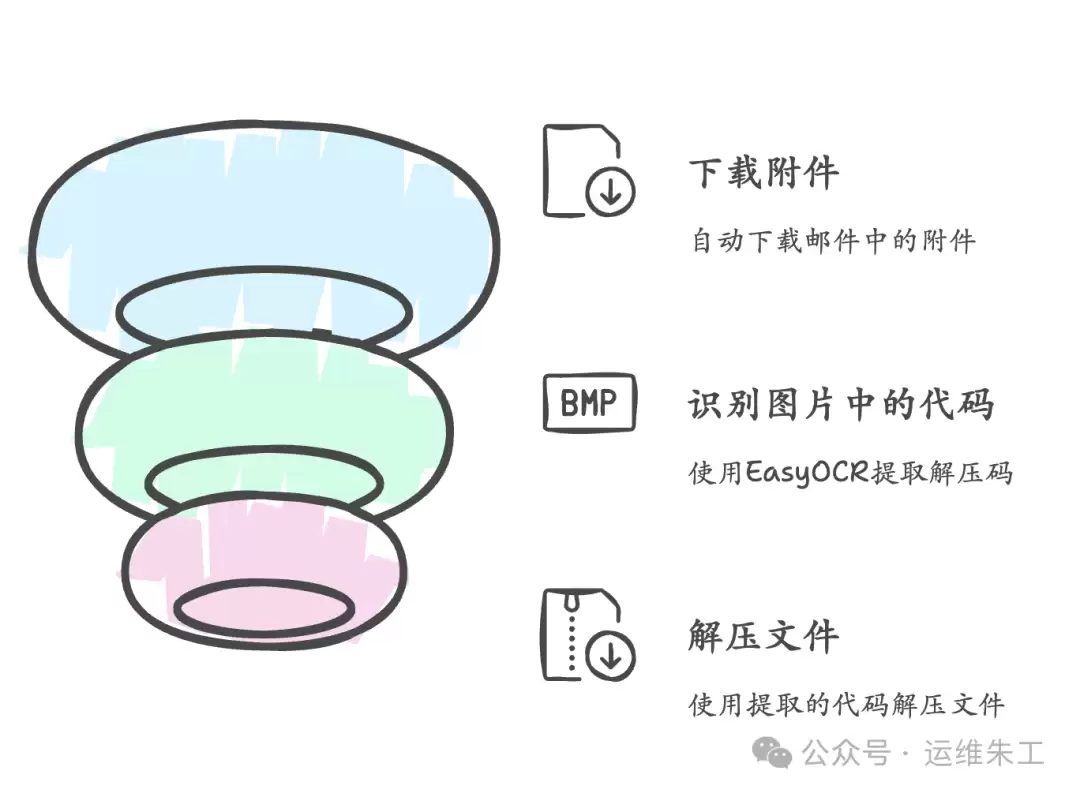
最近处理一个自动化流程时遇到了这样的场景:需要从邮件里下载附件,但附件是加密压缩包,解压密码藏在对应的图片中。于是,借助OCR自动识别图片中的密码就成了关键一步。
调研了一圈主流的OCR方案,最终锁定了EasyOCR——轻量、识别率高、完全开源免费,而且对多语言的支持相当到位。今天就把这套方案的搭建方法、关键参数和实际集成经验梳理出来。
1. 简介
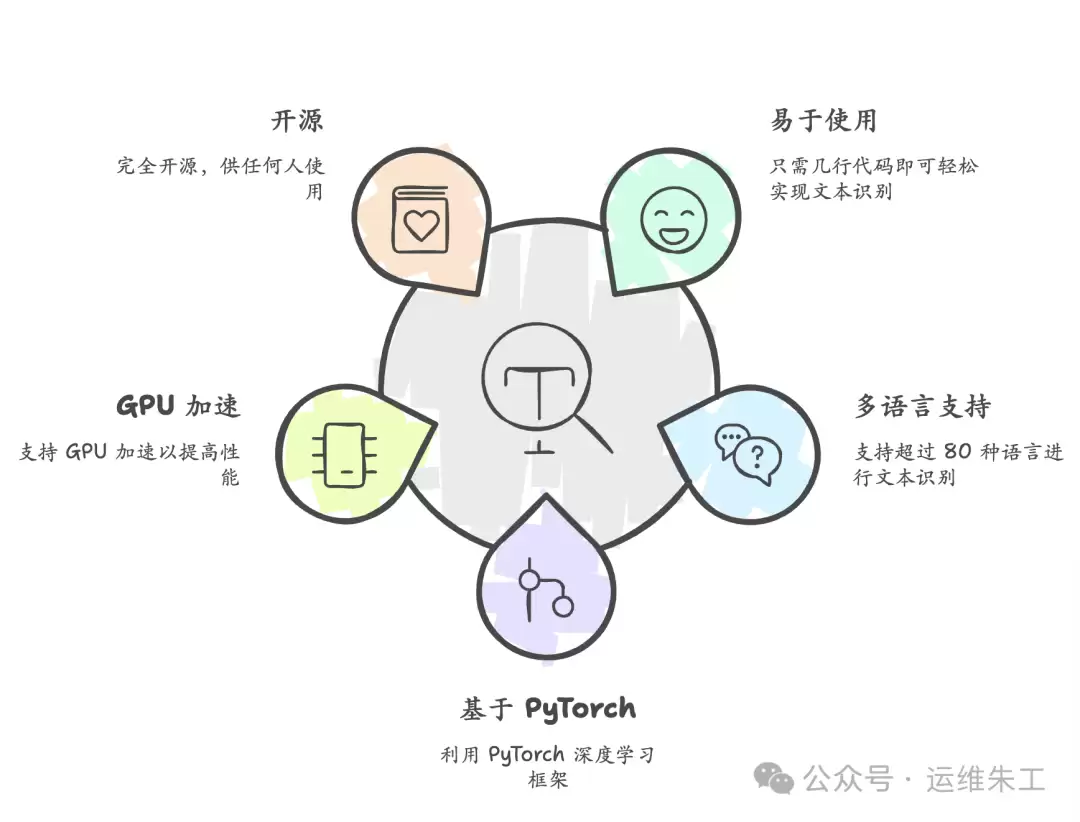
EasyOCR 是一个基于 Python 的 OCR(光学字符识别)库,覆盖 80+ 种语言文字识别。核心特点包括:
- 使用简单,几行代码就能完成文字识别
- 支持中文、英文、日文等多种语言
- 底层基于 PyTorch 深度学习框架
- 支持 GPU 加速,处理速度有保障
- 完全开源,可自由使用和二次开发
2. 环境准备
2.1 系统要求
- Python 3.6 及以上版本
- PyTorch 1.7.0 及以上版本
2.2 安装步骤
# 使用 pip 安装
pip install easyocr

# 如果需要 GPU 加速,确保已安装 CUDA 并执行:
pip install torch torchvision torchaudio --index-url https://download.pytorch.org/whl/cu118
3. 基础使用
3.1 简单示例
初始化一个阅读器,指定语言(这里选中文简体+英文),然后直接调用 readtext 即可:
import easyocr

# 初始化读取器
reader = easyocr.Reader(['ch_sim','en'])  # 中文简体 + 英文

# 读取图像
result = reader.readtext('image.jpg')

# 输出结果
for (bbox, text, prob) in result:
    print(f'识别文本: {text}')
    print(f'置信度: {prob}')
3.2 高级参数配置
实际场景中,图像质量参差不齐,调整参数往往能显著提升准确率:
result = reader.readtext(
    'image.jpg',
    detail = 0,              # 设为 0 只返回文本,隐藏坐标和置信度
    paragraph = True,        # 将临近文本合并为段落
    min_size = 10,           # 最小文本框大小
    contrast_ths = 0.15,     # 对比度阈值
    adjust_contrast = 0.5,   # 对比度调整系数
    text_threshold = 0.7,    # 文本检测阈值
    low_text = 0.4,          # 文本检测低阈值
    link_threshold = 0.4,    # 文本行连接阈值
)
4. 实践应用场景
4.1 与 Web 应用集成或对外提供 API
下面是一个典型的集成方式——用 Flask 搭建一个简易 OCR 服务:
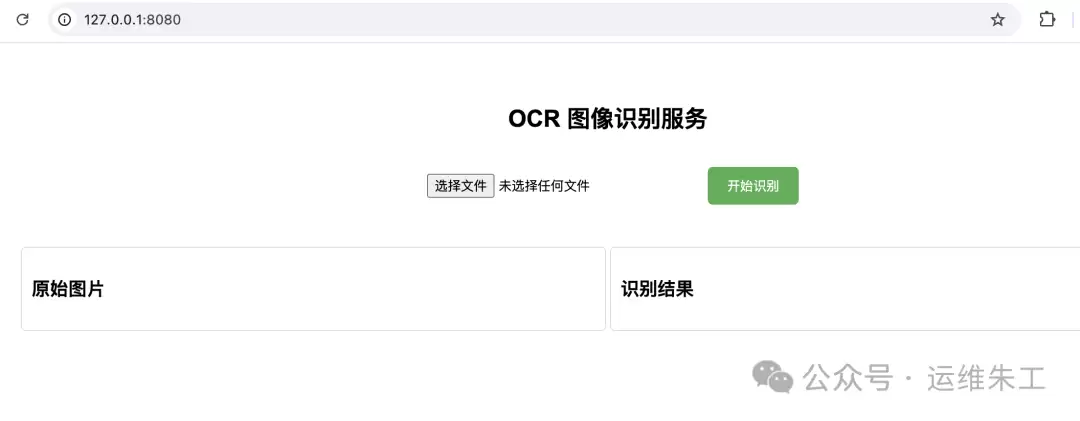
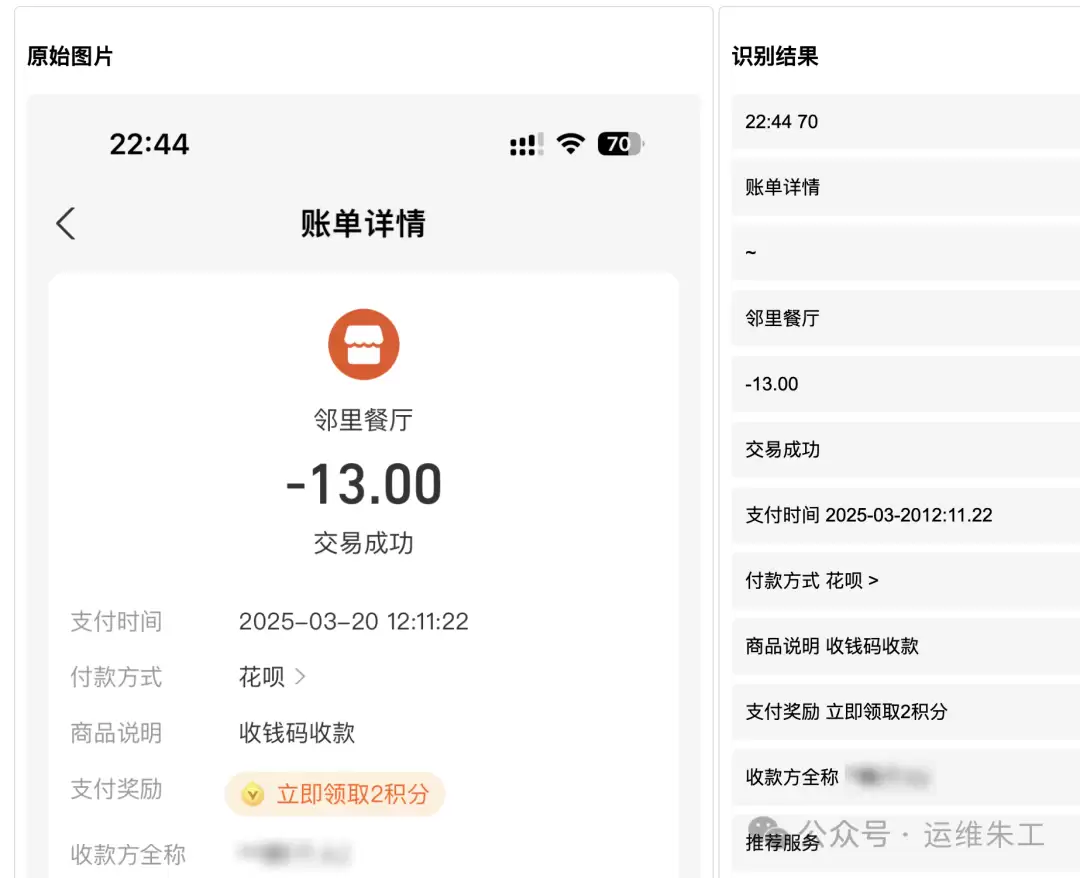
对外提供 API:
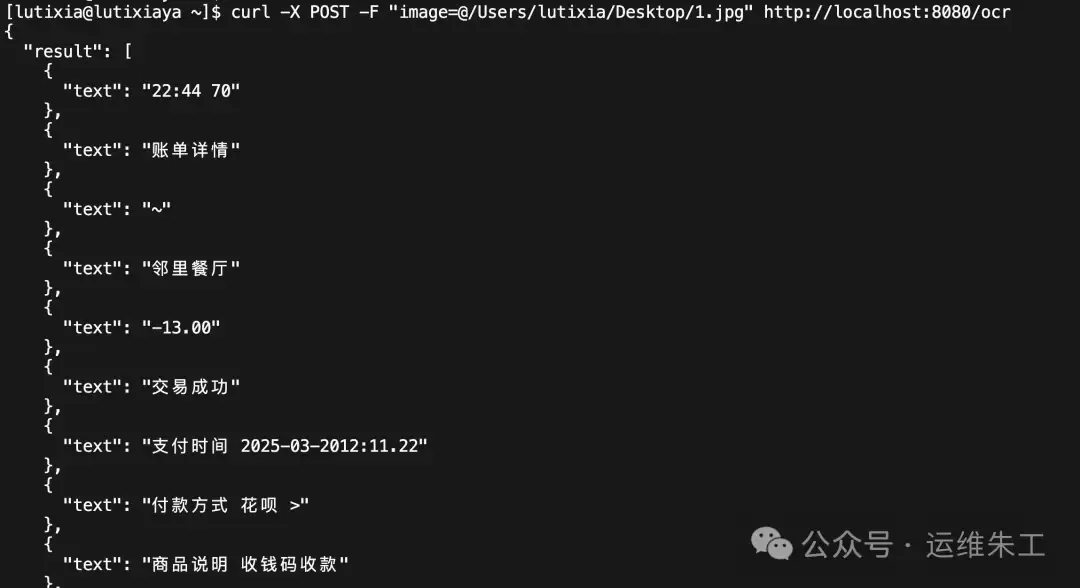
部分核心代码:
from flask import Flask, request, jsonify, render_template, json
import easyocr
import numpy as np
from PIL import Image

app = Flask(__name__)
reader = easyocr.Reader(['ch_sim','en'])

@app.route('/', methods=['GET'])
def index():
    pass

@app.route('/ocr', methods=['POST'])
def ocr_endpoint():
    try:
        if 'image' not in request.files:
            return jsonify({'error': 'No image provided'}), 400

        image = request.files['image']
        img = Image.open(image)
        result = reader.readtext(np.array(img))

        processed_result = []
        current_line = []
        current_line_boxes = []

        sorted_result = sorted(result, key=lambda x: (x[0][0][1] + x[0][2][1]) / 2)

        y_threshold = 10

        for i, (bbox, text, prob) in enumerate(sorted_result):
            current_y = (bbox[0][1] + bbox[2][1]) / 2

            if not current_line:
                current_line.append((bbox, text))
                current_line_boxes.append(bbox)
            else:
                prev_y = (current_line[0][0][0][1] + current_line[0][0][2][1]) / 2

                if abs(current_y - prev_y) <= y_threshold:
                    current_line.append((bbox, text))
                    current_line_boxes.append(bbox)
                else:
                    current_line.sort(key=lambda x: x[0][0][0])
                    processed_result.append({
                        'text': ' '.join(item[1] for item in current_line)
                    })
                    current_line = [(bbox, text)]
                    current_line_boxes = [bbox]

        if current_line:
            current_line.sort(key=lambda x: x[0][0][0])
            processed_result.append({
                'text': ' '.join(item[1] for item in current_line)
            })

        response = app.response_class(
            response=json.dumps(
                {'result': processed_result},
                ensure_ascii=False,
                indent=2
            ),
            status=200,
            mimetype='application/json'
        )
        return response

    except Exception as e:
        return jsonify({'error': str(e)}), 500

if __name__ == '__main__':
    app.run(host='0.0.0.0', port=8080, debug=True)
5. 性能优化建议
GPU 加速
- 确保在 GPU 环境下正确安装 CUDA 和对应版本的 PyTorch
- 首次运行会下载模型,建议预先下载到本地
内存优化
- 处理大量图片时注意及时释放内存
- 可以使用生成器进行批量处理,避免一次性加载全部
图像预处理
- 适当预处理(如对比度调整、去噪)能明显提升识别准确率
- 光照不均或模糊的图片,建议先做图像增强
6. 常见问题解决
内存不足
- 降低处理图片的分辨率
- 批量处理时减小批次大小
识别准确率不高
- 调整识别参数,尤其是 text_threshold 和 low_text
- 优化图像质量,确保文字清晰可辨
- 考虑使用特定语言模型(如纯中文场景可单独加载)
整体来看,EasyOCR 在轻量级和易用性上表现突出,尤其适合需要快速集成、多语言识别的自动化场景。如果你也在处理类似的图片验证码、文档文字提取等需求,不妨拿它先试试。
